How to update or correct phone numbers in Unify
Last updated: March 23, 2026
Phone numbers in Unify are primarily sourced from your CRM (Salesforce or HubSpot) and data enrichment. Currently, you cannot edit phone numbers directly within Unify, but there are several ways to update incorrect or outdated numbers.
Update phone numbers through your CRM
The most reliable way to correct phone numbers is to update them in your CRM system:
Go to your CRM (Salesforce or HubSpot)
Find the contact record
Update or remove the incorrect phone number
Unify will pick up the changes on the next sync based on your field mappings
For Chrome Extension enriched contacts
If a contact was enriched using the Chrome Extension and has an incorrect number:
Scroll to the bottom of the contact view
Click "create a new record"
Add the correct phone number information
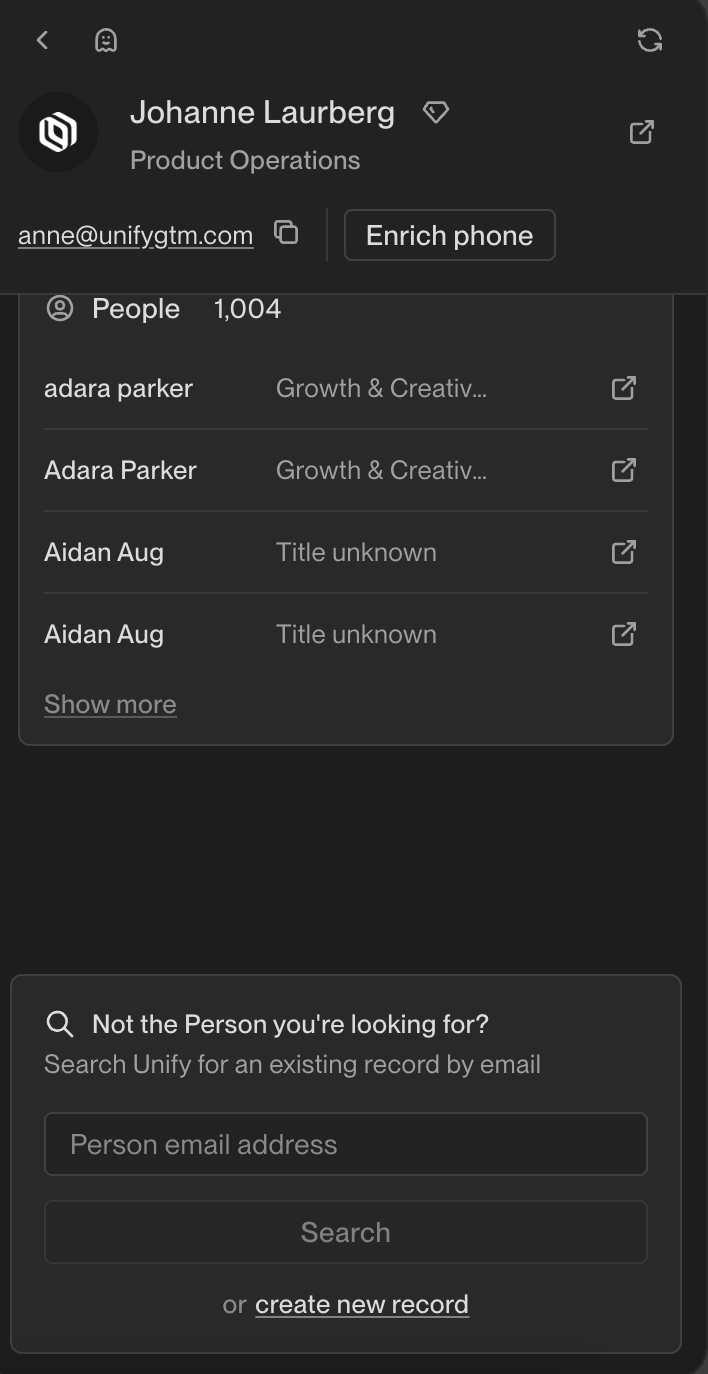
Unify prioritizes data from Chrome Extension enrichment, so correcting it this way should update the existing record.
When phone numbers can't be updated in your CRM
If you encounter a phone number that doesn't exist in your CRM but appears in Unify (typically from data enrichment), contact Unify support. The support team can remove or may be able to update these numbers on your behalf since they cannot be edited directly.
Reporting incorrect phone numbers
If you discover incorrect phone numbers from data enrichment:
Compile the incorrect contact information in a Google Sheet
Share it with Unify support
The team will share this feedback with the data provider to improve future enrichment quality
Note: Unify is actively working on improvements to phone number management, including better editing capabilities and support for multiple phone numbers per contact.