Troubleshooting Sequence Sending Failures Due to Disconnected Mailboxes
Last updated: May 1, 2026
Overview
If a sequence step shows a "Step blocked" warning — "This email is currently blocked from sending. Try inspecting the mailbox for issues or contact Unify for support" — a disconnected mailbox might be the root cause. This article walks through how to diagnose and resolve this issue, and what next steps to take from here.

Symptoms
Emails in a sequence are not being sent
A warning sign appears next to a mailbox in settings
Sequence activity appears stalled or paused
Troubleshooting Steps
Step 1: Check the Mailboxes tab in Settings
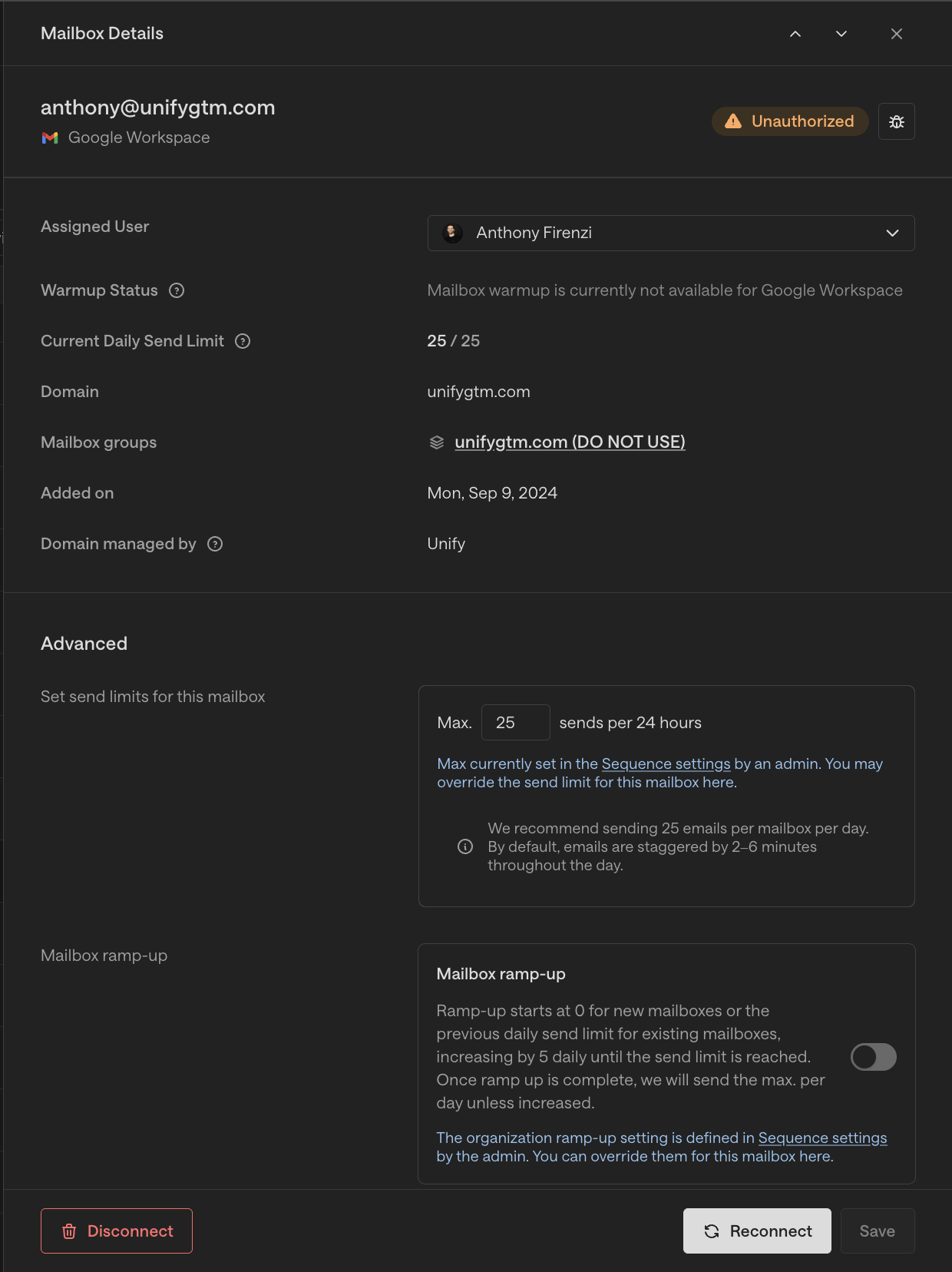
Navigate to Settings → Mailboxes and locate the mailbox associated with the affected sequence. Look for a warning icon next to it — this indicates the mailbox is disconnected.
Step 2: Reconnect the disconnected mailbox
Navigate to Settings → Mailboxes, open the affected mailbox, and complete the authorization/reconnect flow if it shows as disconnected or unauthorized. Also confirm that the mailbox's assigned user is active in Unify.
If the mailbox is Unify-owned: Notify the mailbox team (#support-gmail-mailboxes) to reconnect it
If the mailbox is customer-owned: Loop in the customer to reconnect it on their end
If the mailbox shows as connected: The issue is not mailbox-related — escalate to Engineering for further investigation
Step 3: Resume the affected sequence
After reconnecting the mailbox, open the sequence dashboard (not edit mode) and toggle Resume. Note that emails will queue to the next send window, not send immediately.
Step 4: Reassign queued enrollments (if needed)
If you need to move queued emails to a different mailbox, go to Email Backlog → Reassign Sequence enrollments → Reassign Enrollments, select the new mailbox, then Save. Note that reassignment only applies to queued (not yet sent) emails; contacts mid-sequence may need manual handling.

Resolution
Scenario | Action |
Mailbox is disconnected, Unify-owned | Mailbox team reconnects it |
Mailbox is disconnected, customer-owned | Loop in customer to reconnect |
Mailbox is connected | Raise to Engineering |