How do I set up A/B testing in Plays and Sequences?
Last updated: June 17, 2026
Context
When creating a Play with multiple sequences, you may want to test different approaches by setting up A/B testing to compare their effectiveness.
Answer
A/B testing must be configured at the Play level, not at the Sequence level. Here's how it works:
Create your Play
Set up two different sequences that you want to test
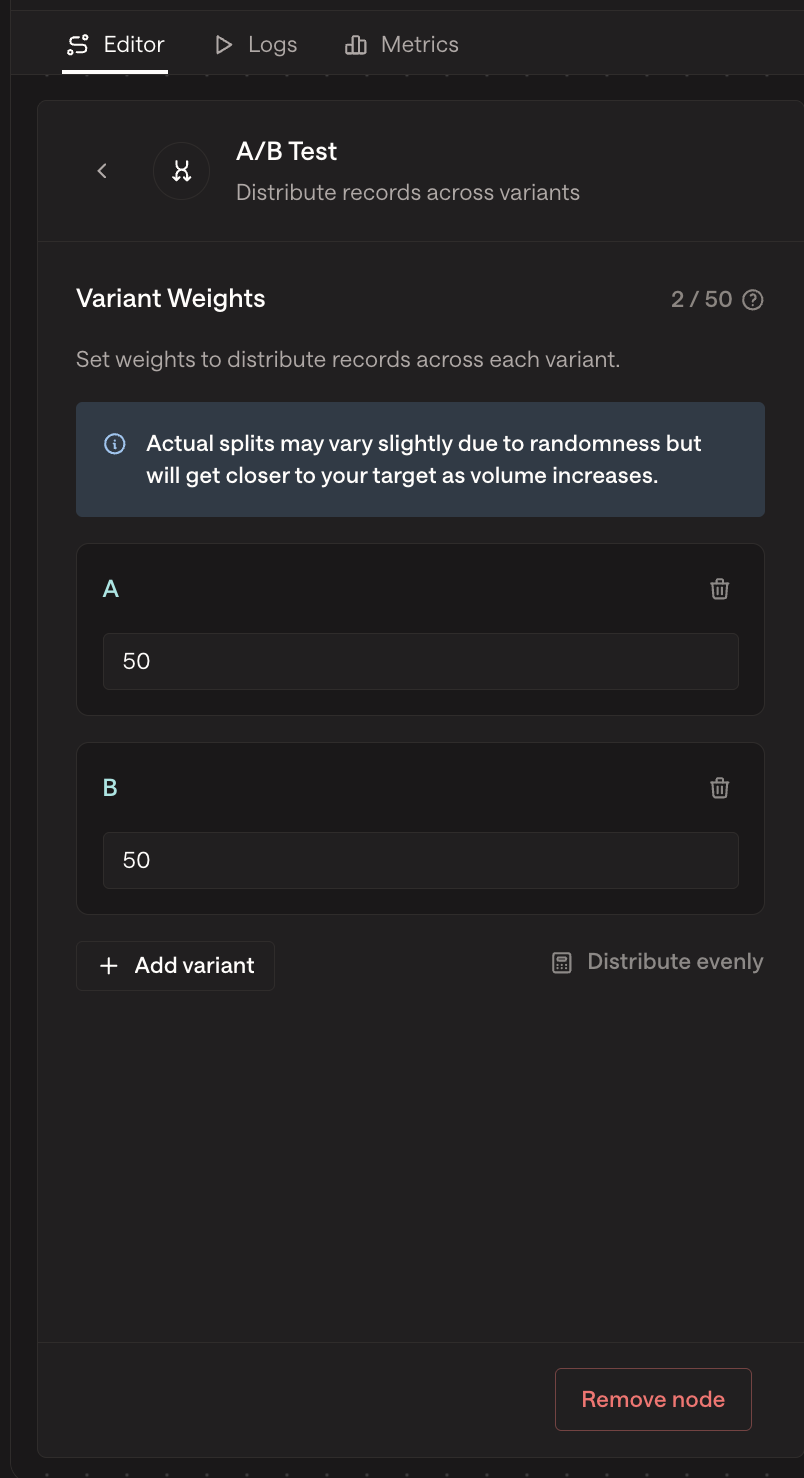
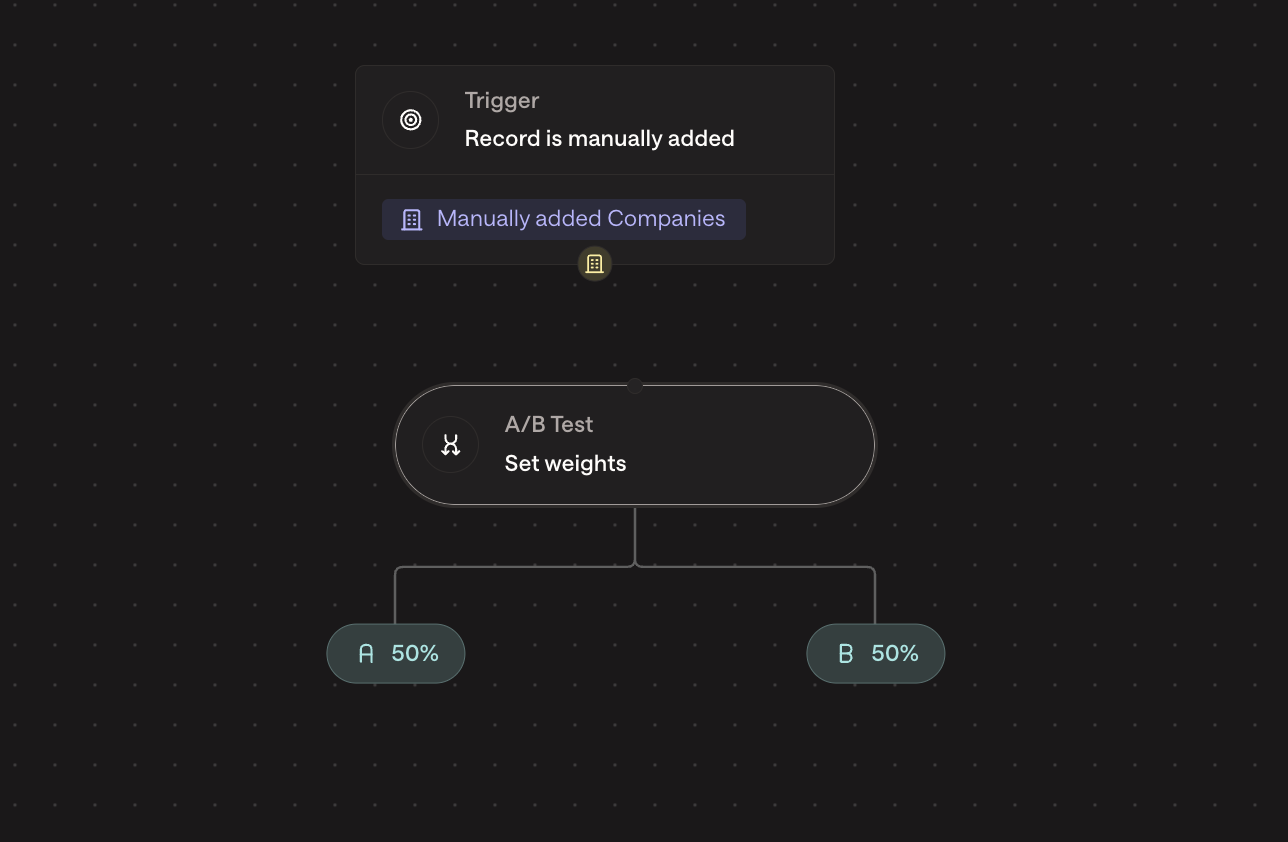
At the Play level, create weighted nodes to split traffic between your sequences:
Place an A/B (weighted) node before your sequences in the Play Builder
To connect a sequence to the A/B node: click the A/B node's output (e.g., "A" or "B") and drag to the input of your sequence
Set the weight percentage for each branch (e.g., 50% for A, 50% for B)
To delete a connection line: click the connection line to select it, then press Backspace or Delete on your keyboard. If the line doesn't highlight, zoom in and click near the middle of the line before pressing Delete
After configuring your A/B test, click Publish Changes to apply the update for new enrollments
Important: You cannot create A/B tests directly within a sequence. You must use separate sequences and configure the test distribution using weighted nodes in the Play settings.
Common Misconception
You cannot A/B test different email templates within a single sequence step. If you want to test different email content for the same outreach step, you must create separate sequences with different email templates and use the Play-level A/B testing approach described above.
Create Sequence A with Email Template 1
Create Sequence B with Email Template 2
Use weighted nodes in your Play to split contacts between these sequences
After setting up the A/B node and sequences, remember to publish your changes to apply the configuration to new enrollments
When setting up your Play, remember that:
Each sequence can have its own unique content and timing
The weight distribution determines what percentage of contacts will receive each sequence
You can monitor the performance of each sequence variant through the Play analytics
Other ways to use the A/B Node
The A/B node can be configured to ensure that only a single SDR contacts prospects at each company included in the play. To implement this, divide the "sequencing" nodes under each A/B node by SDR. This setup guarantees that each company is assigned to one specific SDR for outreach.