Getting started with Plays
Last updated: June 17, 2026
Plays are how you automate outbound in Unify. A Play watches for a signal — a new website visitor, a new hire, a change in CRM data, a manual upload — and then runs a series of actions like prospecting new contacts, qualifying them with an AI agent, enrolling them in a sequence, or syncing data to your CRM.
If you're new to Plays, this article covers what they are, how they're structured, and where to start.
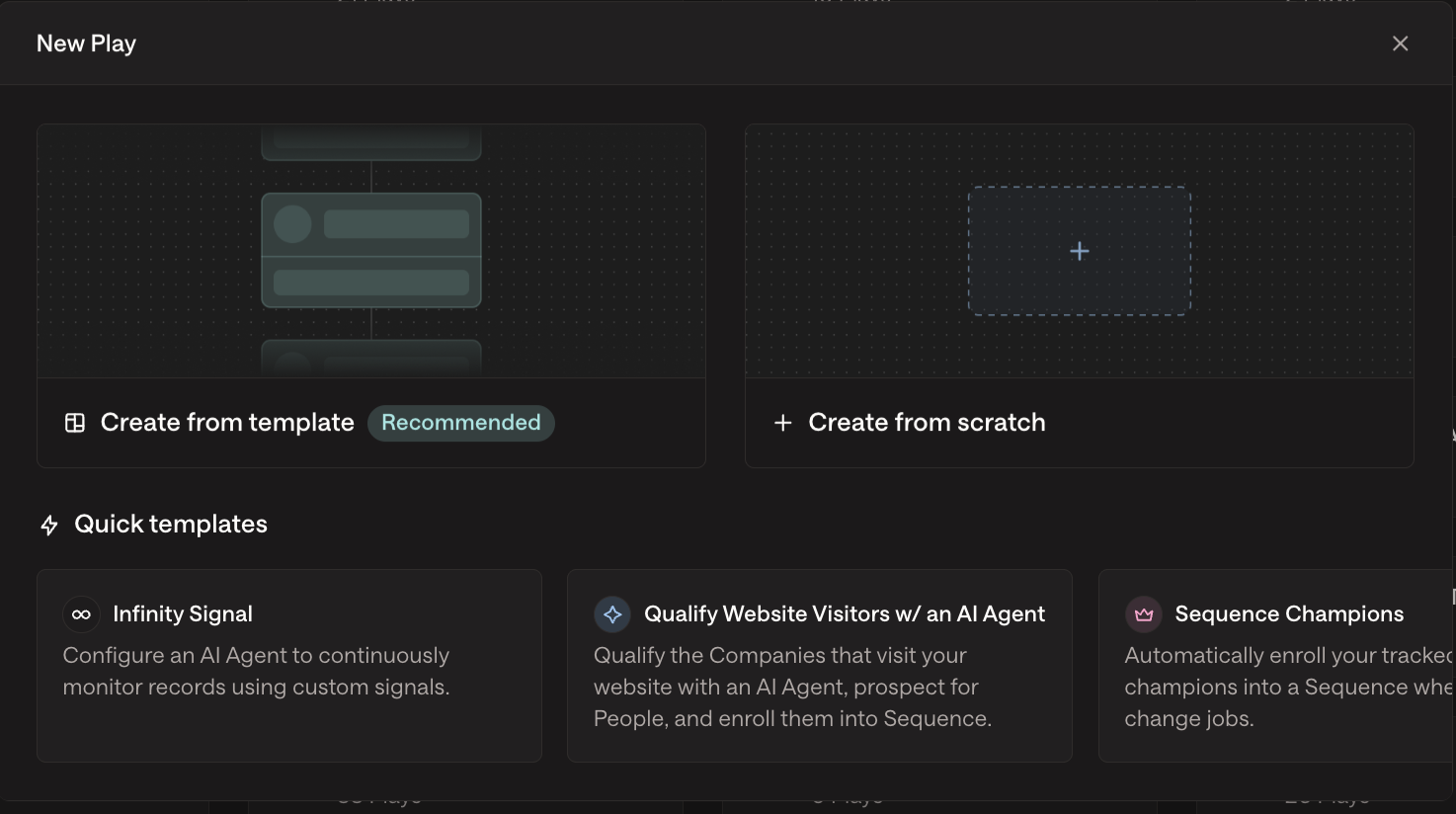
The two components of a Play
Every Play is made up of two things: a trigger that makes it fire, and one or more actions that run when it does.
1. The trigger
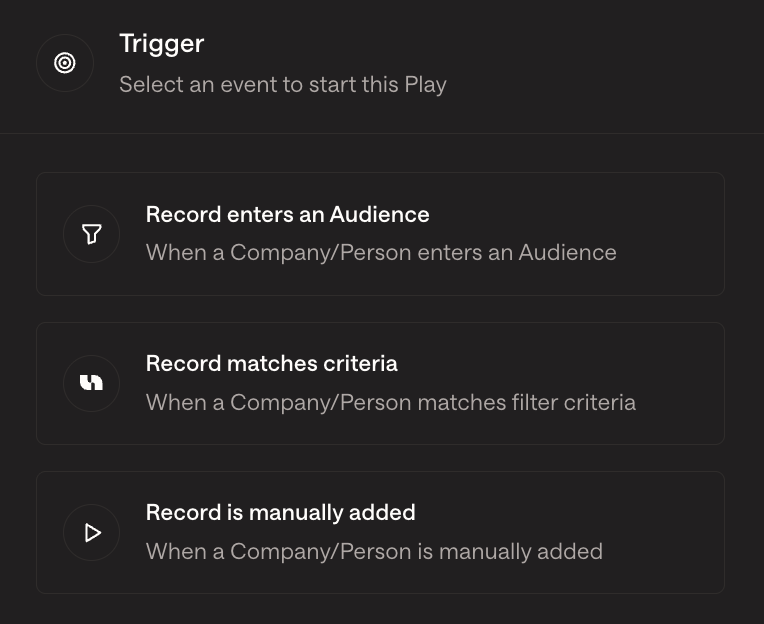
The trigger is the signal that starts the Play. Each Play has one trigger, picked when you create the Play. Examples:
Audience — runs when a company or contact matches an audience definition.
Web Intent — runs when a company visits your website.
LinkedIn post engagement — runs when someone likes or comments on a tracked LinkedIn post.
New hire signal — runs when a tracked persona is hired at a target company.
LinkedIn company follow / profile view — runs on social signals.
Schedule — runs on a recurring schedule against an audience.
Manual — only runs when you trigger it.
Webhook / Zapier — runs when an external system fires.
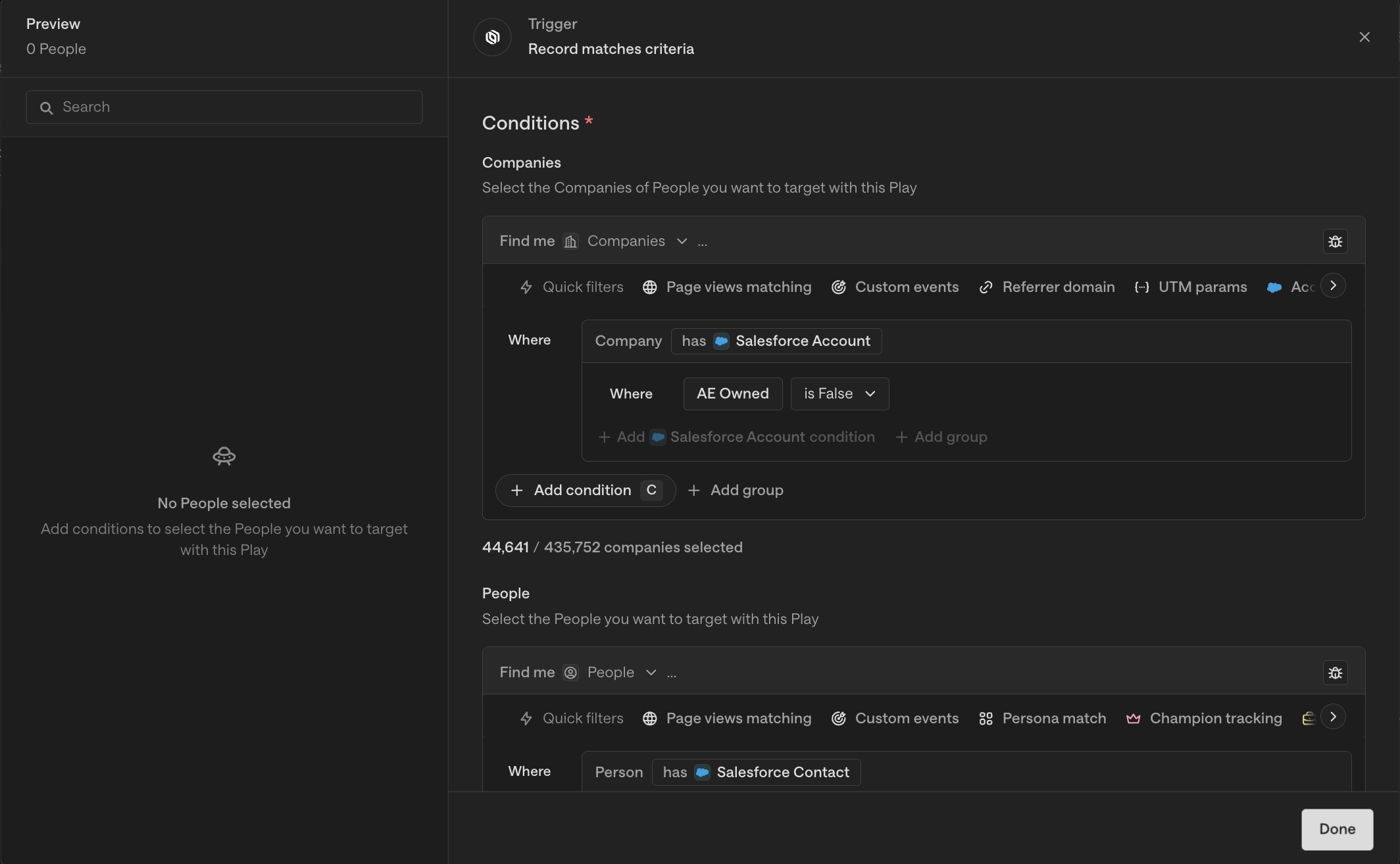
A few of these trigger types — like Web Intent or LinkedIn engagement — let you optionally scope to an audience as well. In that case, the audience acts as a filter on the trigger (e.g., "fire on Web Intent, but only for accounts matching this ICP audience"), not as the trigger itself.
2. The actions
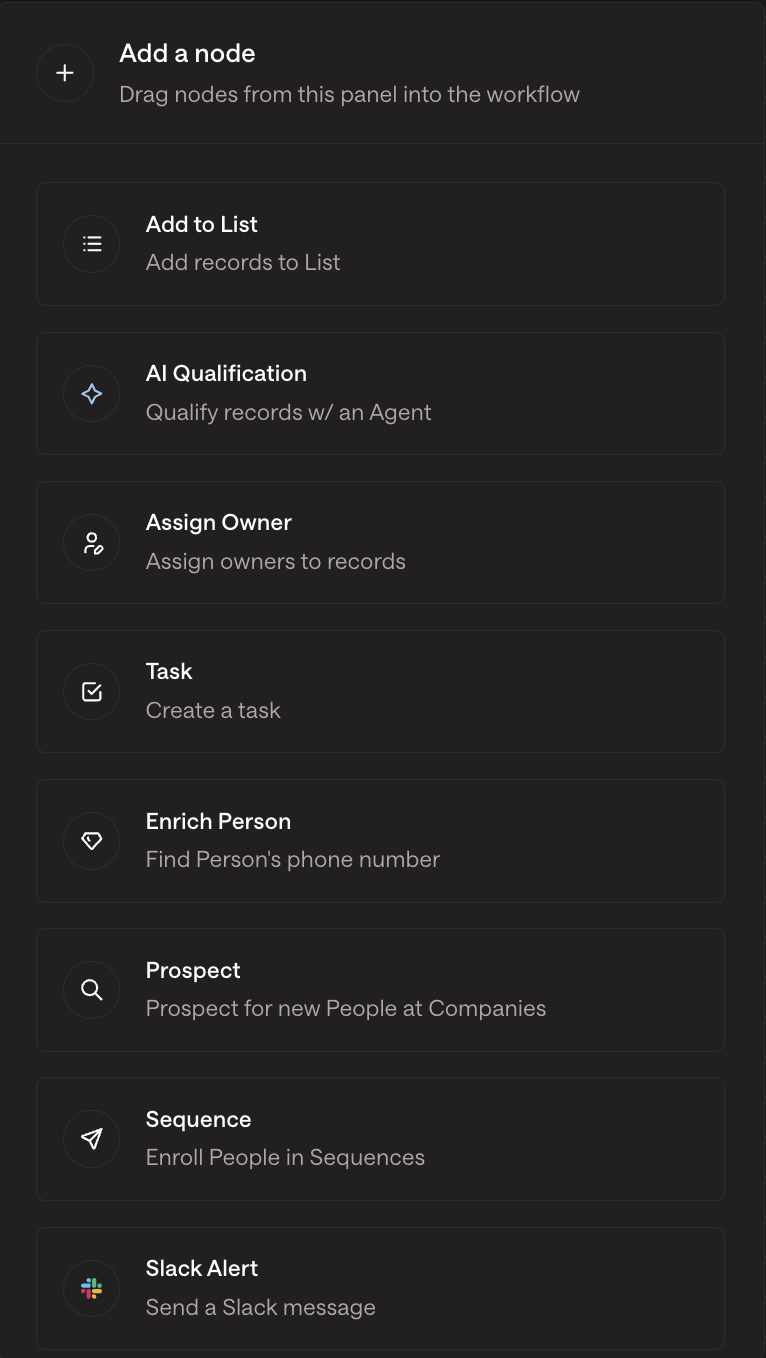
Actions are the steps the Play takes after the trigger fires. The Play Builder lets you arrange them in a flow with branching logic. Common actions:
Prospect — find new contacts at a company based on your personas.
AI Agent — qualify the company or contact with an AI agent (e.g., "Is this company hiring for outbound sales roles?").
Sequence enrollment — enroll contacts in an email sequence.
Sync to Salesforce / HubSpot — push the contact and account into your CRM.
Slack alert — notify your team in Slack.
A/B test — split contacts between two paths to compare outcomes.
Assign Owner — route the contact or account to a specific rep.
Actions connect with arrows. You can branch with if/else nodes (persona match, audience match, etc.) and combine paths with loop nodes (required before a Sequence Enrollment node when coming from a Prospect node).
How Plays differ from Sequences
A common point of confusion:
A Sequence is the actual email cadence — the steps, the timing, the templates.
A Play is the workflow that decides who enters which sequence, and what else happens around that (CRM sync, alerts, qualification).
You can have a Sequence without a Play, but to automate enrollment at scale you'll usually want a Play feeding into it.
Where to start
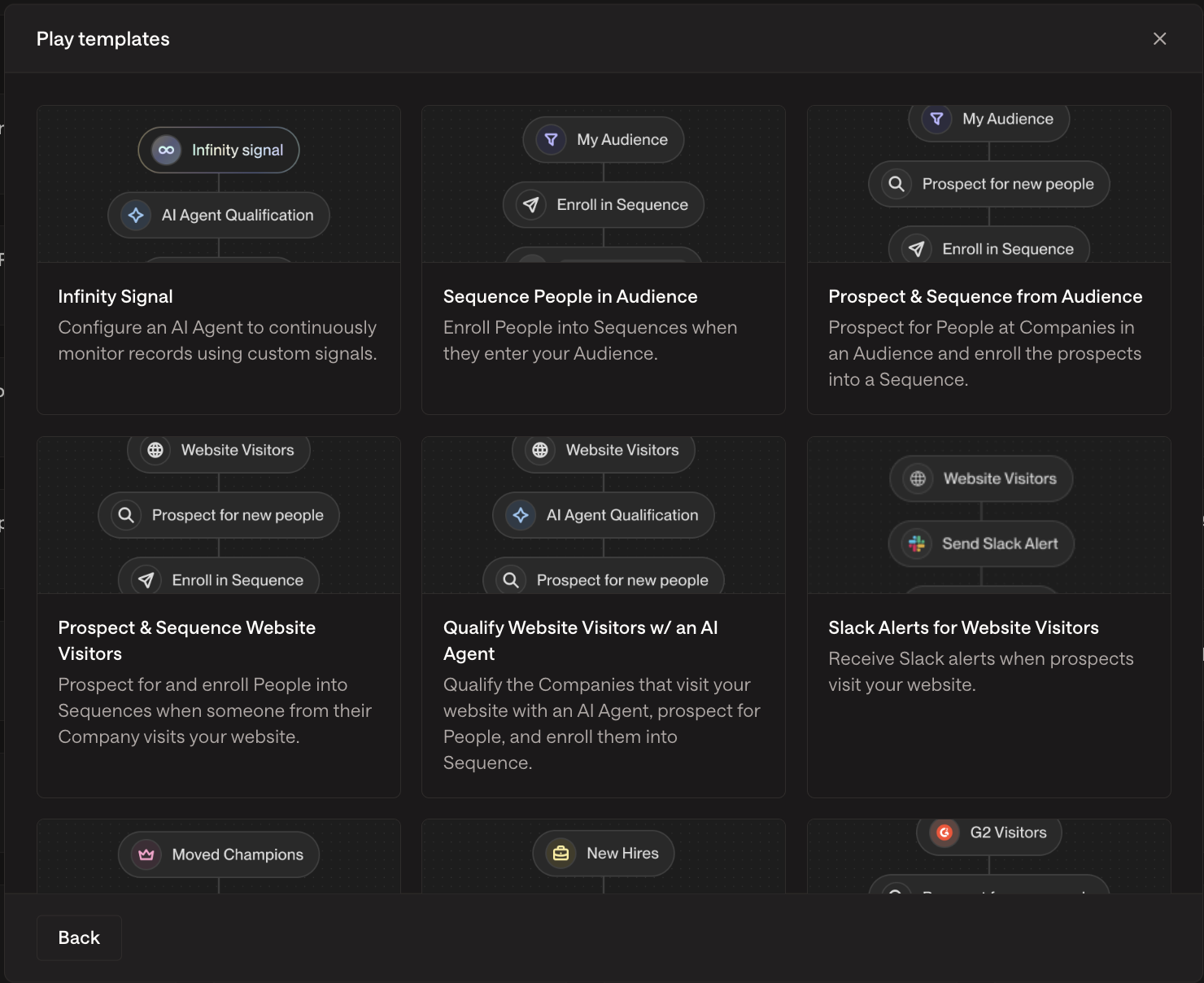
Pick one clear use case. Don't try to model your entire outbound motion in one Play. Start with a single, focused workflow — e.g., "Notify our team in Slack when an ICP-fit company visits our pricing page." (Use our templates!!)
Build the trigger and audience first. Confirm the audience captures the companies you expect (preview is your friend).
Add actions one at a time. Test after each addition. The Play Builder lets you save drafts.
Publish, then watch the Metrics tab. Every Play has a Metrics tab showing audience size, prospects found, contacts enrolled, and the Not Enrolled breakdown.
Iterate. Most Plays need a few rounds of tweaking — persona expansion, exclusion tightening, audience refinement.
Troubleshooting
If something isn't working, the Metrics tab is the fastest place to start. For specific failure modes:
Audience is empty or too small → check CRM sync, persona configuration, and audience filters.
Prospect node returns "None found" → check personas, "Include existing People" setting, and the Logs tab on the prospect node.
Contacts not enrolling → click the Not Enrolled count; you'll see the specific reason per contact (already enrolled, exclusion, no routing target, etc.).
See the dedicated troubleshooting articles for each of these failure modes.
A few useful Play patterns
Inbound capture: Web Intent trigger → AI qualification → Sequence enrollment + Slack alert.
New-hire outbound: New Hire signal → Prospect → AI qualification → Sequence enrollment.
Account research: Manual trigger → AI research agent → Sync research output to Salesforce.
Lookalike expansion: Audience of "Dream ICP" companies → Lookalike generation → Sequence enrollment.
Lookalike Plays run once against the current seed set and become static — to keep generating new leads, expand your seed company list over time.