Why are my emails landing in recipients' junk folders?
Last updated: March 3, 2026
Context
When sending emails through Unify, you may find that recipients' email clients are marking your messages as spam or junk mail. This is a common challenge when sending business emails, particularly when using tracking features or including multiple links.
Answer
To improve email deliverability and prevent your messages from being marked as spam, you can implement these recommended solutions:
Remove or minimize links in your emails Multiple links in email content can trigger spam filters. Consider reducing the number of links in your email content to improve deliverability.
Implement the "one link rule" Limit your emails to no more than 1 link per email to avoid triggering spam filters. If you have links in your email signature, consider removing them to focus on the primary link you want recipients to click.
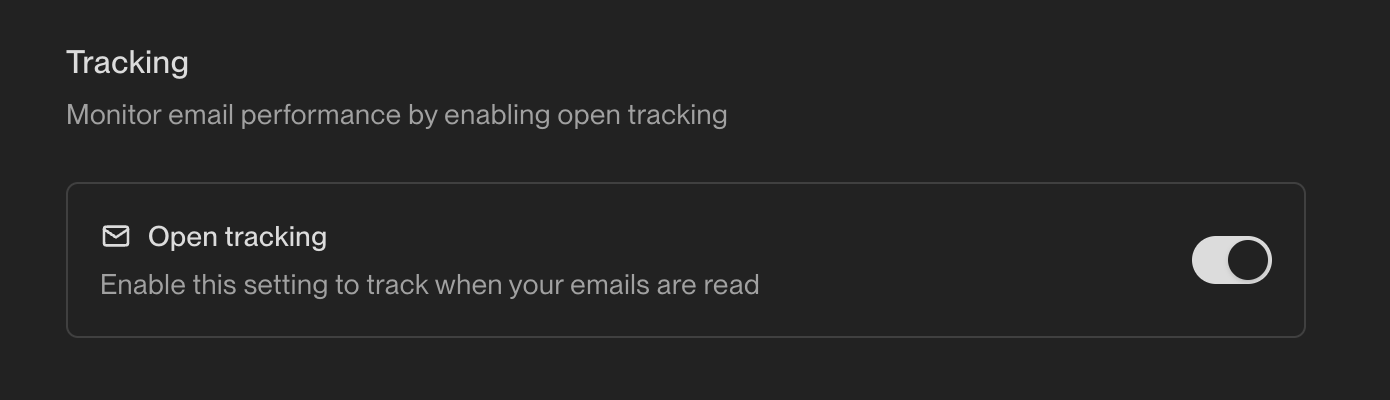
Disable open tracking Email tracking features can sometimes trigger spam filters. To disable open tracking:
Navigate to Settings > Organization > Sequences
Find the "Open tracking" toggle in the Rulesets tab
Switch the toggle to Off
Increase variability in your email copy Use snippets or variables to add variation to your email content. Repetitive or templated content can trigger spam filters, so personalizing your messages can improve deliverability.
Implementing either or both of these solutions can significantly reduce the likelihood of your emails being marked as spam by recipients' email systems.
Note: When sending test emails from mailboxes with similar domains, email providers like Google may flag these as potential phishing attempts. This testing behavior may not reflect actual production email deliverability.
Advanced Deliverability Strategies
Proactive Recipient Management
Ask recipients to whitelist your emails Proactively request that your recipients add your Unify-generated email addresses to their safe sender list or whitelist. This prevents future emails from being automatically filtered to spam folders and improves overall deliverability for your email sequences.
Sequence Structure Optimization
Optimize sequence structure to avoid repetitive content Sending repetitive content at large volume can trigger spam filters, especially with Google. To prevent this:
Vary your email copy across different sends rather than using identical templates
Avoid sending the same content to large numbers of recipients simultaneously
Review your sequence structure to ensure messaging diversity
Enhanced Personalization Strategies
Advanced subject line and content personalization
Use dynamic, personalized subject lines for each recipient
Avoid all caps, excessive punctuation, or repetitive subject lines across your sequence
Add genuine personalization beyond just the recipient's name
Keep subject lines concise and professional
Volume Distribution Tactics
Distribute email volume strategically If sending high volumes of emails, consider distributing your campaigns across multiple sender mailboxes to reduce the volume per individual sender, which can help avoid triggering spam filters.
Mailbox Infrastructure Considerations
Consider Google Workspace mailboxes for better deliverability Google Workspace mailboxes have shown 4-8x better deliverability compared to standard Unify managed mailboxes.
Content Optimization Guidelines
Refine your email structure and length
Focus on a single product or pain point per email
Keep emails between 50-200 words for optimal engagement
Use smart snippets to create variance in email copy
Technical Link Considerations
Enhanced link security practices Ensure all links are secure and free of browser warnings, as spam filters like Mixmax Cold Email Shield specifically flag insecure or suspicious links.