What's New: Out of Office (OOO) Reply Handling
Last updated: April 21, 2026
If you've used Unify sequences before, you know the frustration: a prospect replies with an out-of-office message, the sequence ends, and you lose the opportunity to engage when they return. That changes now.
What Changed
Unify now automatically detects out-of-office replies and handles them for you — no setup required.
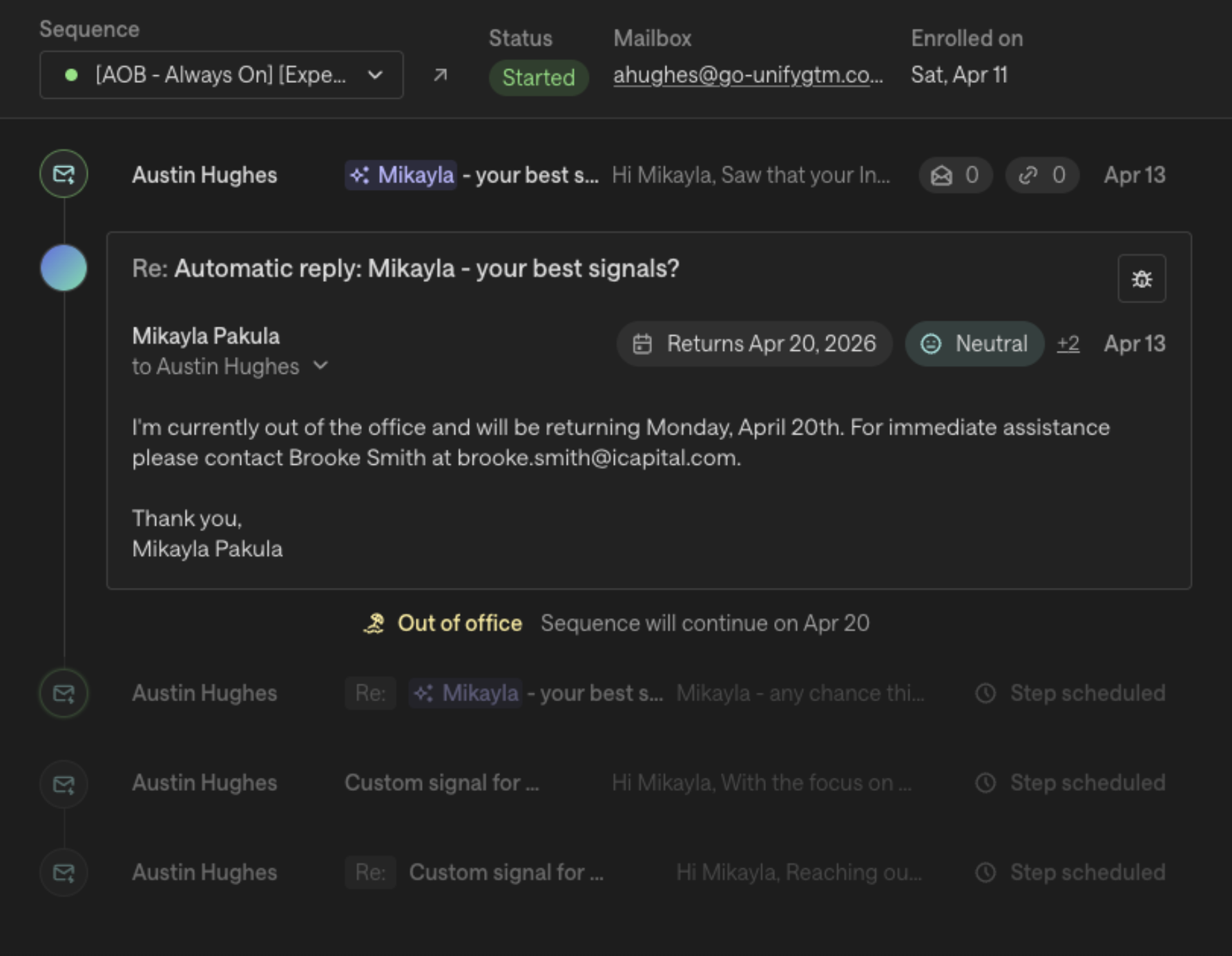
When a prospect replies with an OOO message, Unify will pause the sequence and resume it when they're back, instead of ending the sequence entirely.
Before and After
Before | Now | |
Prospect replies OOO | Sequence ends as "Completed: Replied" | Sequence pauses as "Paused: OOO" |
When they return | You had to manually re-enroll them | Sequence auto-resumes on their return date |
Reply metrics | OOO replies inflated your reply rate | OOO replies are excluded from metrics |
Notifications | You got a reply task and notification for the OOO | No task or notification — no noise |
How It Works
You don't need to do anything differently. Send sequences and one-off tasks as normal.
When a prospect replies OOO, Unify detects it automatically and pauses the enrollment. You'll see the status change to "Paused: OOO" on the Engagement tab and Sequence enrollment page.
The sequence resumes automatically on the prospect's stated return date. If no return date is found in their reply, it resumes after 14 days.
The sequence picks up exactly where it left off — no re-enrollment needed.
What This Means for Your Metrics
OOO replies are no longer counted as real replies. This means:
Your reply rate now reflects genuine prospect engagement only
OOO auto-replies won't create reply tasks or trigger notifications
Your dashboards and reports are more accurate going forward
This only applies to new replies — past OOO replies that were already classified as replies won't be retroactively changed.
Where to See OOO Status
You can check if a prospect is currently OOO in three places:
Engagement tab on the Person Details page
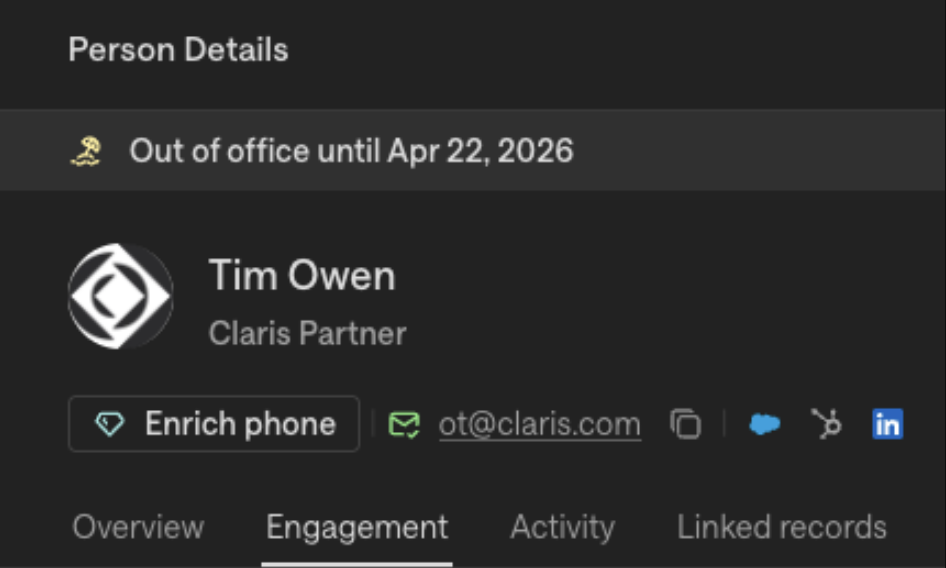
Sequence enrollment page (status shows "Paused: OOO")
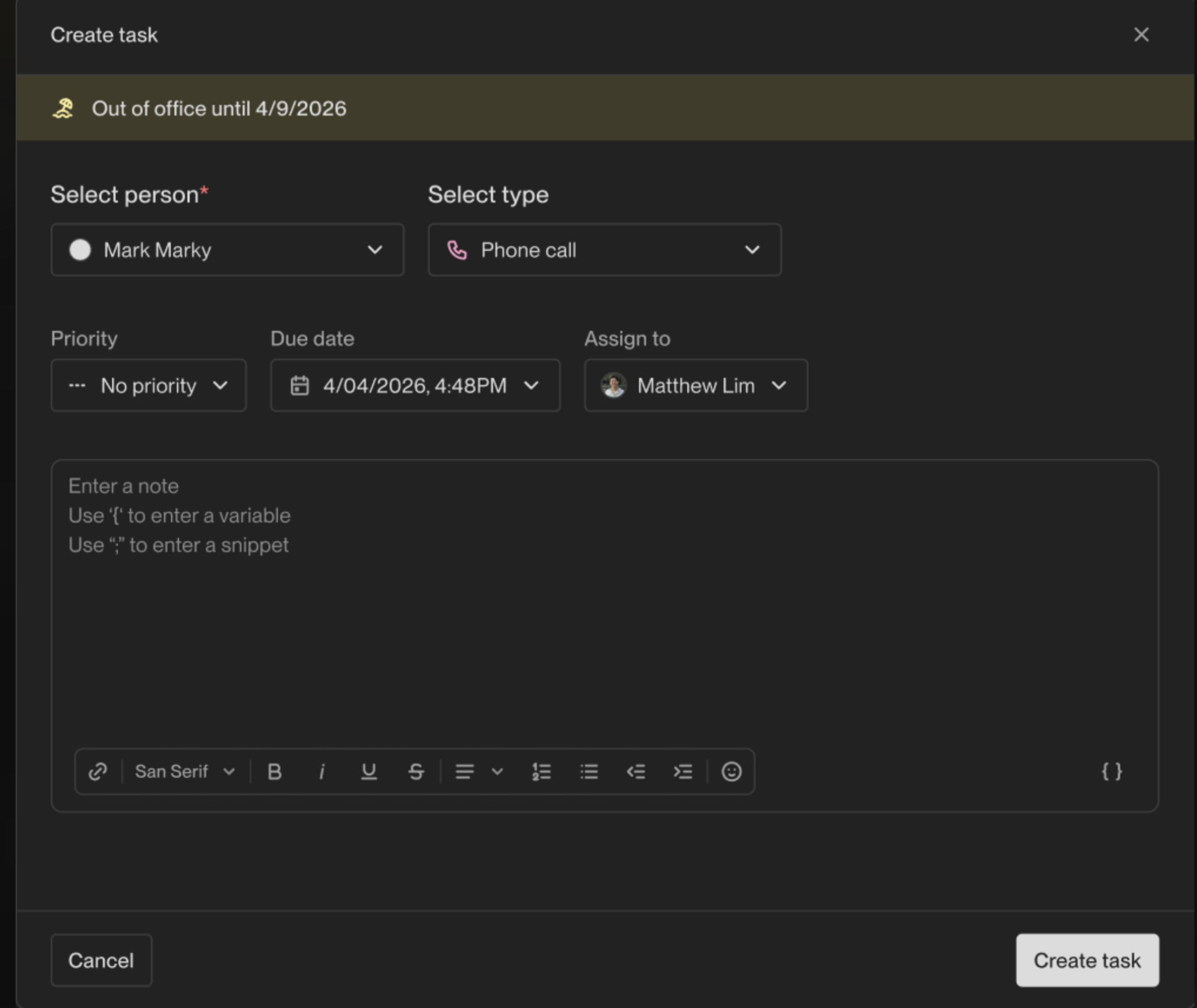
Task creation modal (OOO indicator visible when creating tasks for that person)
How Unify Handles Out-of-Office Replies
Unify automatically detects out-of-office (OOO) email replies and pauses sequences until the prospect returns — so you never lose a pipeline opportunity to an auto-reply.
How It Works
When a prospect replies with an OOO message, Unify will:
Detect the OOO reply using ML-based email classification
Pause the sequence enrollment — the status changes to "Paused: OOO" (visible on the Engagement tab, Sequence enrollment page, and One-off task modal)
Automatically resume the sequence on the prospect's stated return date
If no return date is found in the reply, the sequence resumes after 14 days by default
What Changes for You
Nothing changes in your workflow. OOO detection is automatic and enabled for all accounts — no setup or configuration required. Send sequences and one-off tasks as normal.
What Happens to Metrics
OOO replies do not count as real replies. This means:
OOO replies will not inflate your reply rate metrics
OOO replies will not create reply tasks
OOO replies will not trigger Slack or email notifications
Your sequence and dashboard metrics reflect genuine prospect engagement only
Where to See OOO Status
You can see when a prospect is OOO in three places:
Engagement tab on the Person Details page — shows "Paused: OOO" status
Sequence enrollment page — enrollment status shows "Paused: OOO"
Task creation modal — OOO indicator is visible when creating tasks for that person
FAQ
Does this apply to past emails?
No. OOO detection only applies to replies received from now on. It will not retroactively reclassify past replies.
What if the OOO reply doesn't include a return date?
The sequence will resume after 14 days by default.
Can I manually override the OOO classification?
Not in V1. Manual override of OOO classification, custom buffer dates, and toggling between auto and manual resume are planned follow-ups.
Does this work for one-off tasks too?
Yes. OOO detection works across both sequences and one-off tasks.
Will the sequence pick up where it left off?
Yes. The sequence resumes at the exact step it was paused on — no manual re-enrollment needed.
Summary
What happens | Before | Now |
Prospect replies OOO | Sequence ends as "Completed: Replied" | Sequence pauses as "Paused: OOO" |
Metrics | OOO inflates reply rates | OOO excluded from reply metrics |
Notifications | OOO creates reply task + notification | No task or notification created |
When prospect returns | Manual re-enrollment needed | Auto-resumes on return date |