How do I track and target contacts who have opened or clicked multiple emails?
Last updated: April 30, 2026
Context
When managing email sequences, it's valuable to identify and retarget contacts who have shown high engagement through multiple email opens or clicks. Rather than manually checking individual email interactions, you can create an audience to automatically track these engaged contacts.
Answer
You can create a targeted audience based on email interaction criteria using the Audiences feature. Here's how:
Navigate to the Audiences section in your dashboard
Click "Create New Audience"
Add conditions for email interactions:
Set conditions for number of email opens
Set conditions for link clicks
Specify the time frame for these interactions
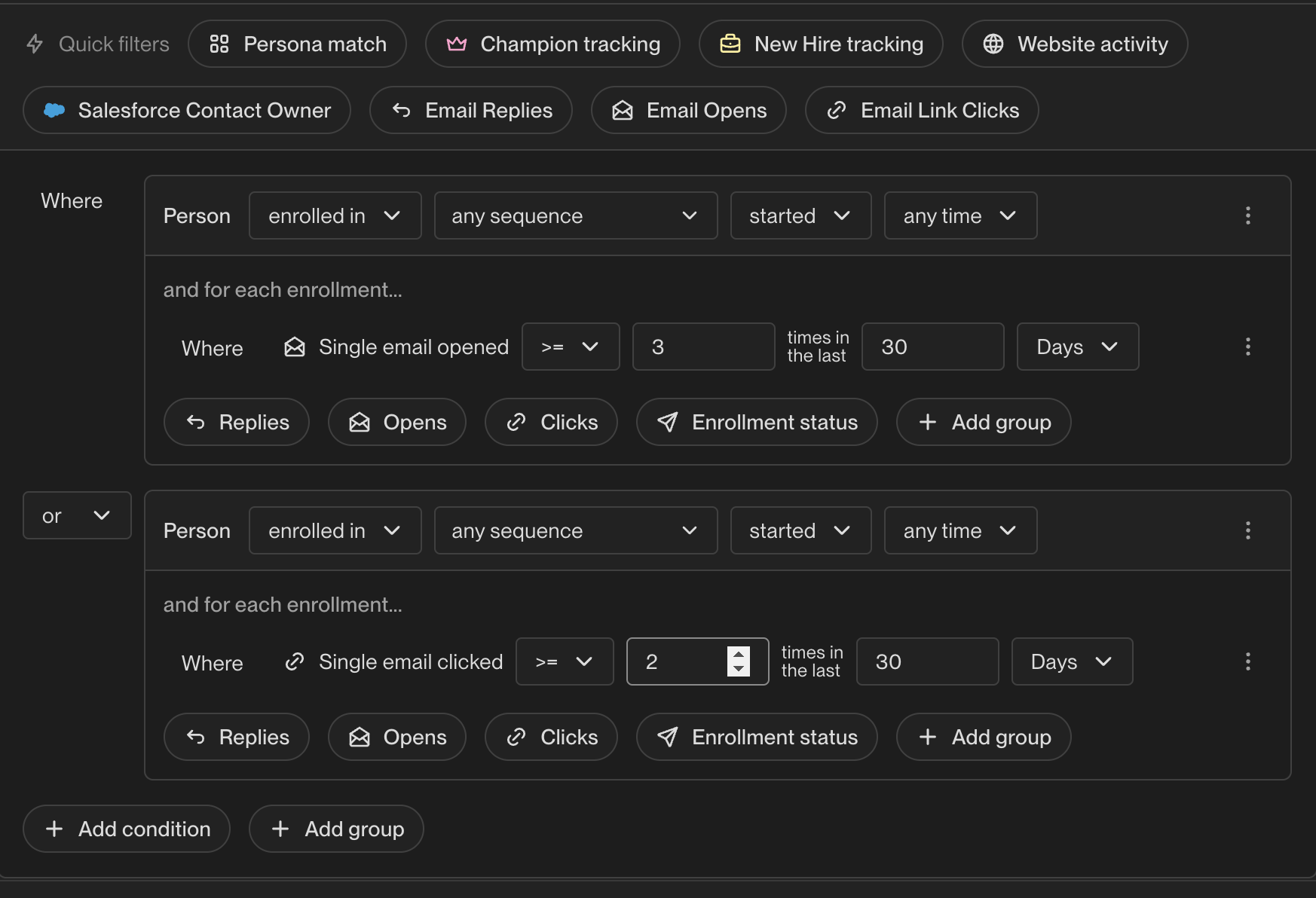
You can customize the conditions to match your specific targeting needs by adjusting the number of interactions and timeframe. The audience will automatically update to include contacts who meet these criteria, making it easy to track and retarget your most engaged contacts.
To receive real-time notifications when contacts enter this audience, connect it to a Play that triggers a Slack notification. This allows you to get alerted immediately when a prospect shows high engagement, such as opening an email multiple times. See How do I set up Slack notifications in Unify for setup instructions.
Note: Email open tracking relies on pixels and can over-count due to email client auto-opens (such as privacy features that pre-load images). Additionally, unusually high click counts with zero opens (e.g., 10+ clicks on a single email) may indicate security scanners auto-clicking links rather than genuine engagement—consider this when setting click thresholds for your audience. For more reliable engagement signals, consider using click-based conditions or combining criteria like “opened 2+ times OR clicked.” See How does email open tracking work with Gmail's tracking pixel updates for more details on open tracking behavior.